Rentvine & Property Meld integration.
Streamline maintenance & accounting with fully synced workflows.
Maximize efficiency and accuracy across your property management operations by connecting Rentvine with Property Meld. This integration eliminates manual data entry, keeps your financials up to date, and lets your team focus on what matters most!
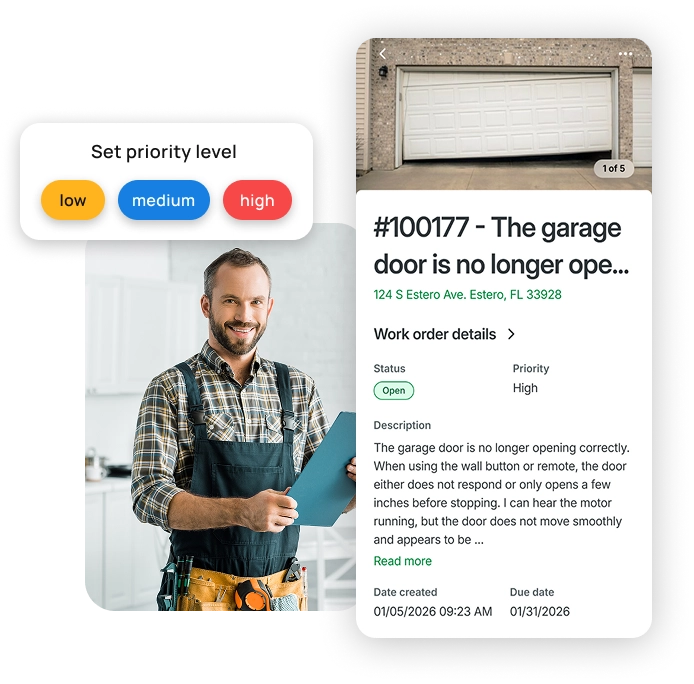
Why this matters.
Keeping maintenance and accounting in sync shouldn’t be a manual process.
- Accurate financials, always. Work order costs and expenditures flow automatically into Rentvine so your books are clean and current.
- No more double data entry. Property, resident, unit, and contact details sync without extra clicks.
- Less administrative overhead. Spend less time toggling between systems and more time on strategic work.
- Scale with confidence. Built to support growing portfolios without the headaches of disconnected workflows.
Want to see how Rentvine works? Fill out the form and we’ll walk you through it.
Request a demo.
Sync details.
What syncs between Rentvine and Property Meld
Here's exactly what data moves between the two platforms, how often, and which fields are included in every sync.
Properties
Every 4 hours- Address (Line 1 & 2)
- City, State, Zip
- Maintenance limit
- Property maintenance notes
- Property groups
- Year built
Property status (Active/Inactive) does not sync. Associations do not sync. Property group permissions may need to be adjusted after syncing.
Units
Every 4 hours- Address (Lines 1–3)
- City, State, Postal Code
- Unit maintenance notes
Address fields are not editable in Property Meld. Deleting a unit in Rentvine does not deactivate it in Property Meld.
Residents & Cosigners
Every 4 hours- Name
- Email address
- Phone number
No exceptions noted.
Owners
Every 4 hours- Name
- Email address
- Phone number
Portfolio name does not sync. Owners with 0% ownership will still sync.
Invoices & Expenditures
After approval- All invoice & expenditure data
Data syncs to Rentvine the moment an invoice or expenditure is approved in Property Meld. Both create a Bill in Rentvine by default.
Vendors
Manual import- No fields sync automatically
Vendors must be manually invited and linked in Property Meld. No vendor data fields sync automatically.
Learn how to set it up.
Everything you need to configure this integration is in our Knowledge Base.
read our detailed setup guideValue you can see.
Operational.
Automate the flow of key maintenance details into accounting to reduce errors and prevent missed charges, while centralizing communication and vendor coordination for a more streamlined, connected workflow.
Financial.
Sync invoices and expenditures directly into Rentvine to strengthen trust accounting, improve audit readiness, and deliver faster, more accurate owner statements.
Team experience.
Free up your team’s time for high-impact work, improve resident satisfaction with quicker service, and keep everyone aligned and confident with a more efficient process.